By Qomvia, 14 min read
Key takeaways
Models quote clear, sourced sentences and skip vague ones. AI assistants now answer the question before anyone clicks a result, so the way you write decides whether your page becomes the answer.
- Answer the real question early: a clear opening helps both a person and a reviewer understand the page's purpose.
- Keep evidence and limits together: a passage should not lose the conditions that make its claim accurate.
- Write sections that stand on their own: name the subject, explain the point and preserve necessary context.
- Use tables for actual comparisons: make the criteria and tradeoffs visible instead of hiding them in prose.
- Start with the reader's task: make the evidence useful on the page before adapting it for summaries.
What is content for AI search?
Content for AI search answers a real reader question clearly, supports its claims and preserves enough context to remain useful when summarized or cited. Durable editorial craft brings the answer, evidence and context together. A good passage helps a person whether it appears as a search result, citation or directly visited page.
Answer-first writing is not the same as stripping every explanation down to a sentence. A concise opening can orient the reader, while the rest of the section supplies evidence, limitations and examples. If a short extract would become misleading without a qualification, move the qualification closer to the claim rather than deleting it for brevity.
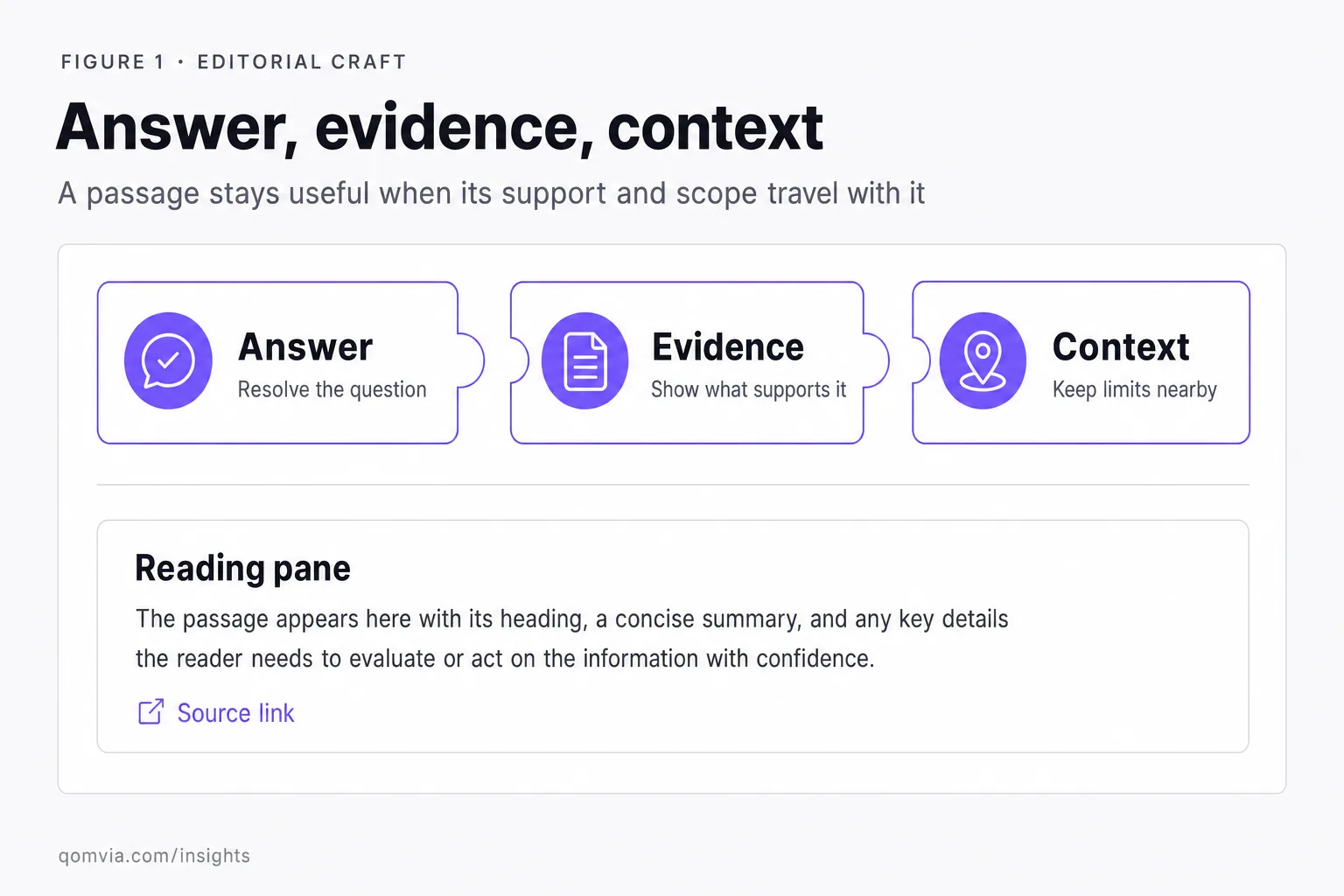
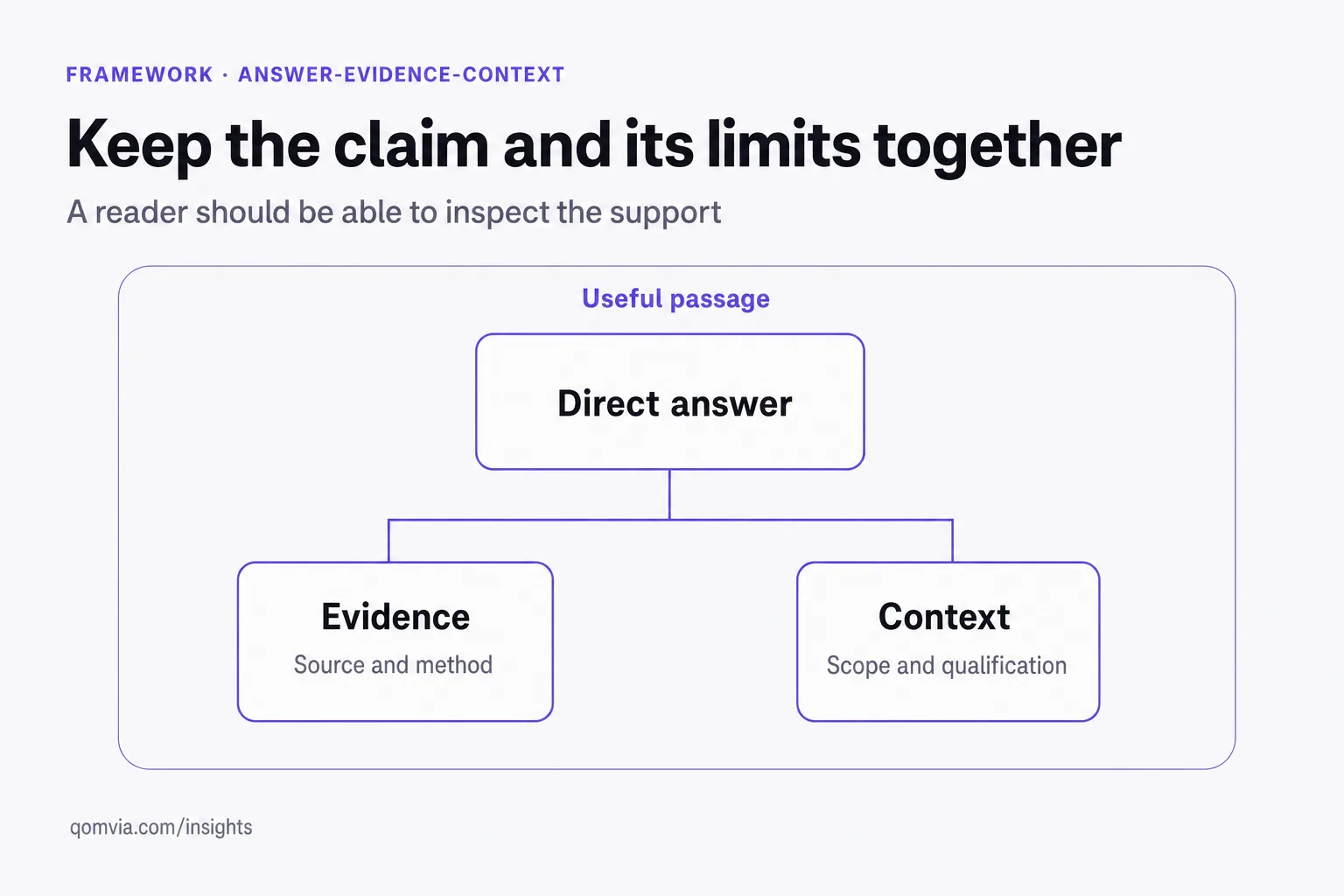
The editorial framework here is the answer-evidence-context trio: state what the reader asked, show why the answer is supportable and keep the conditions that define where it applies. For heading hierarchy and page landmarks, see one H1 and a heading hierarchy and main and article landmarks for extraction.
How should an answer-first passage begin?
Answer the user's task early
Write the first sentence after identifying the reader's task and the narrowest accurate answer. Avoid starting with a sweeping claim that the rest of the page has to qualify. If the answer depends on a plan, date, jurisdiction or product version, include that condition before adding an example. A direct opening can remain careful without becoming vague.
Use the following sentences to show the reasoning and evidence. Define unfamiliar terms, identify the source and explain what a reader should do next. Do not stretch a short definition into a long introductory sequence of rhetorical questions. The page earns depth by answering the next practical question, not by delaying the answer the reader came for.
A useful editing pass removes the paragraph's surrounding context and asks whether the passage still names its subject. Replace pronouns with a noun when a copied excerpt could become ambiguous. Retain important conditions and source attribution in the same passage. This improves stand-alone clarity for human readers as well as any later reuse.
Start with the specific question the section resolves. A definition should name the concept in its first sentence. A comparison should identify the options and the dimension being compared. A procedure should state the outcome and the conditions required. Avoid a long scene-setting preamble when the searcher needs to know whether the page addresses the task.
Then establish scope. Say who or what the guidance applies to, what time period or product version matters and which exceptions could change the answer. The reader should not have to scroll through several paragraphs to learn that a recommendation applies only to one plan, market or use case. Scope is part of the answer, not a footnote.
A useful opening is direct without being absolute. Prefer a bounded statement such as “This policy applies to annual plans purchased through the public checkout” over “The policy always applies.” When a fact depends on a source, name the source or link it close to the claim. When the evidence is uncertain, say what is known and what remains unresolved.
Use the question's grammar as a diagnostic, not a requirement to copy awkward keywords. If the reader asks “which plan includes the feature,” answer with the plan name and the condition that matters. If the reader asks “how do I change it,” name the setting and the prerequisite. Natural wording helps a person see that the section addresses the task without making the prose sound like a search query list.
After the opening answer, earn the reader's trust with a useful progression: explain the reason, show the evidence, identify exceptions and give the next step. A brief answer without that support can be easy to extract but hard to act on. A long preface that delays the answer has the opposite problem. The answer-evidence-context trio keeps the opening concise while giving the rest of the section a clear job.
How can sections stand on their own?
Keep evidence and limits attached
Give each section one job and make the heading describe that job. A reader scanning for eligibility should not have to interpret a poetic heading or read unrelated background first. Use the paragraph below to define the key term, explain the rule and point to a source. If the section needs several unrelated caveats, split it into smaller, named parts.
Use transitions to preserve the larger argument. A stand-alone passage can still refer to a prior definition when the connection is meaningful, but it should not require a reader to infer a missing subject from “this” or “it.” Name the product or policy when the answer can be copied separately from the page.
Review the page in the order a reader needs information. A definition should come before implementation detail; prerequisites should appear before instructions; warnings should sit beside the steps they qualify. This order reduces the chance that a short excerpt presents an action without the safety condition that makes it correct.
Give each section a heading that names its subject or question. The opening sentence should repeat enough context that it still makes sense when separated from the introduction. Replace vague pronouns with the organization, product or process being discussed. A self-contained section is easier to skim and less likely to become ambiguous when quoted out of its original position.
Keep a coherent sequence. A section can define a term, explain a decision, show evidence and describe a next step. Avoid scattering an answer across unrelated navigation, callouts and repeated summaries. Internal links should clarify a relationship or lead to a deeper explanation, not substitute for the central facts the current page needs to establish.
Use lists when the items are genuinely parallel, and use prose when the relationship matters. A checklist can support a task, while a paragraph can explain why a caveat changes the decision. If every point is bolded, none stands out. Let typography express the hierarchy of the argument rather than decorate every line.
Check each section for dependencies on earlier text. Replace “this option” with the option's name when a paragraph may be read alone. Define an abbreviation before relying on it, and repeat the essential condition near instructions that could be acted on. This does not require restating the whole introduction. It means preserving the minimum context needed to keep an excerpt accurate.
Use headings to represent the actual question or decision, then ensure the section answers it. A heading such as “Can this policy be changed?” should be followed by the conditions and route for changing it. If a question has no known answer, state the limit clearly and explain what evidence would resolve it. Precision builds a stronger page than a complete-looking heading outline.
When should writers use a table?
Use a table when the reader needs to compare the same dimensions across several options. Name the criteria in the headers and make each cell precise enough to understand without a visual cue. A table works well for eligibility, responsibilities, product features or differences between two processes. It is less useful when each cell becomes a paragraph that belongs in the body.
Do not use a table to imply a score if the evidence does not support one. A comparison can show that products handle a task differently without declaring a universal winner. Add a caption that defines the scope, date or illustrative nature of the comparison. Keep the visible text understandable on a narrow screen and preserve meaningful labels in each row.
| Content element | Reader's job | Editorial test |
|---|---|---|
| Definition | Understand the term | Does the opening name the concept directly? |
| Comparison | Choose between options | Are criteria and limits explicit? |
| Procedure | Complete a task | Are prerequisites and confirmation steps clear? |
| Evidence table | Check a claim | Can each value be traced to its source? |
A table should not hide important qualifications in a caption that readers may miss. If a row has a special condition, place it in the cell or link to the exact source. For a broad chart or infographic, provide a text explanation in the page so the insight is not available only as pixels.
Keep table rows comparable. If one row describes a feature and another describes a policy exception, the reader cannot evaluate the same dimension across both. Split unlike comparisons into separate tables or use prose to explain their relationship. Define unfamiliar abbreviations in nearby text and keep headers specific enough to make the row understandable when someone reads it without the surrounding paragraphs.
For editorial accessibility, make visual summaries redundant with the text rather than the only place a conclusion appears. A chart should label what its shapes represent, and the article should explain the practical implication. Avoid decorative figures that repeat a number or claim without adding structure. If the visual is illustrative, say so and ensure its labels do not imply measured data.
How should a writer use original data and sources?
Keep the method close to any original finding. Explain what was counted, how the sample was selected, what time period it covers and what it cannot establish. If the underlying material is confidential, describe the permitted methodology without revealing private records. Do not turn an internal observation into a population-wide claim.
Choose citations that let readers inspect the specific claim. A primary document is preferable for a provider's own product behavior; a standard or specification is appropriate for a technical definition; an independent study can support a research finding. Link to the relevant page or passage when possible and distinguish the source's statement from the writer's interpretation.
Original material is valuable when it is real, relevant and documented. A company can explain how it tested a process, what was observed and what the test cannot establish. It can share a case study with permission and enough context to understand the result. It should not turn a small internal sample into a population claim or call an anecdote a study.
Cite primary sources for external facts and make the connection easy to follow. A reader should be able to locate the supporting passage and see whether it matches the claim. If a source is a standard, policy or product announcement, identify its issuer and scope. If an interpretation goes beyond the source, label it as analysis.
Keep quotations accurate and economical. A quotation does not prove more than the words and context support. Summarize a source faithfully, then link it. A useful research note records the URL, exact supporting language and date checked so another editor can maintain the claim when the source changes.
Distinguish a source's statement from your conclusion. Introduce the issuer and scope when a policy or product announcement is relevant, quote only the language needed and explain what it does not establish. Readers should be able to tell where documented behavior ends and editorial recommendation begins. That distinction matters when a source is narrow, conditional or likely to change.
For original work, preserve the materials needed to understand the method: the question asked, the selection criteria, the observation and the limitations. Do not imply that a small example represents all customers. If a case study cannot be independently checked, label its source and scope accurately. Original value comes from transparent materials and method, not proprietary-sounding assertions.
How do dates, bylines and updates support trust?
Use a byline that accurately identifies responsibility. If a subject expert reviewed the page, describe the review role without implying that the expert wrote every sentence. A company or editorial team can take responsibility for material when authorship is collective, but the page should not invent a named individual.
Show dates when they help a reader judge currency, and make sure the date reflects a real publication or substantive update. A new timestamp does not make stale content current. When the rule or source changes, revise the affected claim and explain what changed if history matters to the reader.
Google's helpful-content guidance asks publishers to consider who created content, how it was produced and why it exists. Treat those prompts as editorial questions, not as a template that every page must answer with a long disclosure. The explanation should be proportional to the reader's need and the stakes of the subject.
Tie an update label to a real change. If the underlying policy changed, describe the new rule and its effective context. If an editor corrected a typo, do not imply that the full analysis was reassessed. Keep older dates when they help explain historical applicability, and make current instructions easy to distinguish from archived examples.
How can teams build an editorial workflow?
Close the workflow with a post-publication check. Confirm that the canonical page loads, links resolve, required qualifications remain visible and the source list matches the claims in the final copy. Store the reviewed version and next trigger in the content record so later editors can see what was approved and what still needs attention.
Give writers a brief that names the reader, query, intended answer, evidence standard, subject-matter reviewer and update trigger. Ask for the primary source before drafting claims that depend on external facts. An outline should show what the article adds beyond an existing page so the team does not publish a second version of the same answer.
Start from a real audience question and a page owner. Define the answer, evidence needed, source links, required qualifications and the next task a reader may take. Ask a subject expert to review high-stakes details, and give an editor responsibility for structure and language. This separates factual approval from writing polish.
Before publication, read the page in two modes: as a whole argument and as a collection of independent sections. Check whether the opening answers the query, whether a section keeps its context and whether a table or figure adds information beyond the prose. Review the final rendered page for broken internal links and accessible text.
After publication, monitor source changes and customer questions. Update the page when a fact changes or a recurring misunderstanding reveals a gap. Do not add paragraphs solely to increase length. Remove repetition when it obscures the main answer. The goal is a page that earns the reader's attention by resolving a task.
Use a practical review checklist: does the opening answer the query, does each heading lead to the information it names, are claims supported, are conditions adjacent to the instruction, do links reach the relevant source and does the final page render accessibly? Have someone unfamiliar with the draft attempt the task using only the page. Their questions often expose missing context that an expert author fills in unconsciously.
Review quality after the page is used. Support questions, repeated misunderstandings and corrections can reveal whether the explanation leaves a gap. Treat that feedback as an editorial signal, not automatic proof that a section should be longer. Make the smallest change that resolves the confusion, then check whether the rest of the page still tells one coherent story.
How Qomvia shows whether your content is quoted
Qomvia's AI monitor shows which sources the models cite for your buyers' questions, and the free score checks the page signals that make content extractable.
The free scan runs all 26 checks of the agent-readiness score in about a minute and lists every failing check with a copy-paste fix; the free Site monitor re-scans weekly, no signup for the score. The AI monitor then asks your buyers' questions to ChatGPT, Gemini and Grok every day and shows whether you are named, which rival is named instead and which sources the models used. Qomvia Market and the MCP server take it one step further, letting agents act on the recommendation. Sign up free or see plans and pricing.
Sources and further reading
Questions
- How do I write content for AI search?
- Answer the reader's question directly, support claims with evidence and keep the conditions that make each statement accurate.
- What is answer-first writing?
- It gives the direct response near the start, then supplies context, evidence and limitations without hiding the essential answer.
- How do I make content easier to cite?
- Use specific headings, self-contained explanations and nearby sources, while preserving the qualifications that keep a passage accurate.
- Should content for AI search use tables?
- Use a table when readers need to compare consistent criteria. Include clear headers, scope and qualifications rather than implying an unsupported score.
- Does AI search need a special content format?
- The sources cited here do not establish a universal answer format. Durable editorial clarity, accessible pages and supported claims remain the useful baseline.
- How often should content be updated?
- Review material claims when their underlying policy, evidence or product changes. Change the visible date only when the page has been substantively reviewed or updated.
Score your own site against the rubric this is written from.
Is your site agent-ready?
Free score against the same rubric, in under a minute.
Sign up free to keep the fixes and track the score.
AI monitor
PreviewHow often each model names your site across 11 tracked questions.